

Bring your fleet of 3rd party Distributed Energy Resources (DER) into a single place, enabling apps, fleet management, and simplified workflows.
Introduction
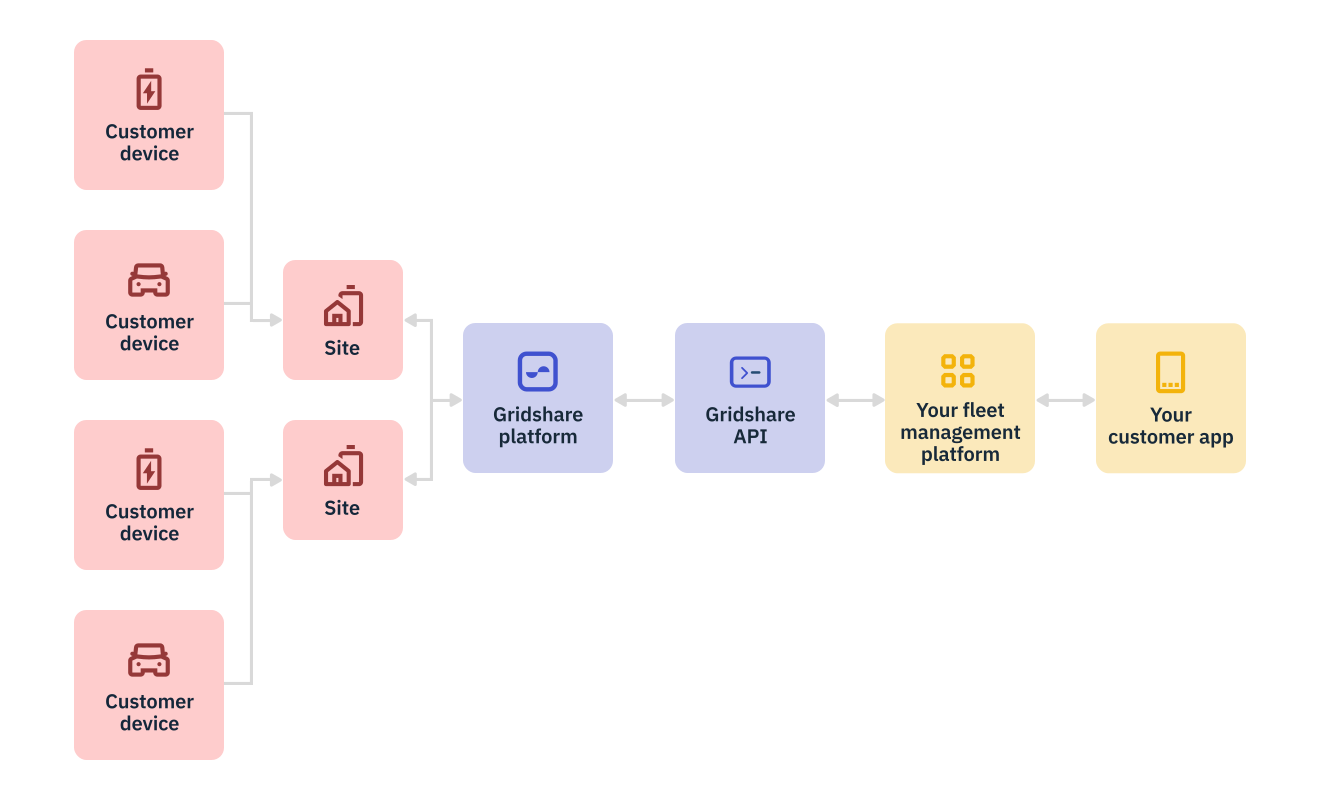
Gridshare brings all your energy devices into one place.
Use our API to set up sites where devices are located, and then add devices to those sites.
After creating sites and adding devices, use the API to gather telemetry. With this data, you can power your customer apps or internal tools.
Connect to sites and devices
To create a site, use the Create Site endpoint. This is a POST request to define all of the metadata attributed to a site.
To add an energy device to the site, use the Create Device endpoint. This is a POST request where the metadata and configuration of a given device is defined. Site ID is added to the device metadata to link them.
Gather device data
To view telemetry for a specific energy device, use the Get Telemetry endpoint. This is a GET request to retrieve a period of data for the device as well as data type. Each kind of device in Gridshare has a corresponding telemetry schema. We recommend requesting data for one month.